
AI-Powered Learning: Transform Any Video into an Interactive Study Session
Learn how LearnifyTube's new AI features help you understand videos faster with auto-generated summaries, smart quizzes, and Anki-style flashcards.
Watching educational videos is great, but truly learning from them requires more than passive viewing. That's why we're thrilled to introduce AI-powered learning features in LearnifyTube – turning every video into an interactive study experience.
The Challenge: From Watching to Learning
You've probably experienced this: you finish a 2-hour lecture feeling like you understood everything, only to realize a week later that you can barely recall the key points. Research shows that passive video watching has one of the lowest retention rates among learning methods.
Active learning – summarizing, questioning, and testing yourself – dramatically improves retention. But who has time to manually create study materials for every video?
Meet Your AI Study Assistant
LearnifyTube now includes three powerful AI-driven features that automatically transform any video into structured learning materials:
1. AI Video Summaries
Never sit through an entire video wondering if it's worth your time. Our AI Summary feature instantly generates:
- Concise Overview: A paragraph capturing the main thesis and key arguments
- Timestamped Sections: Jump directly to the parts that matter most
- Key Takeaways: The essential points distilled for quick review
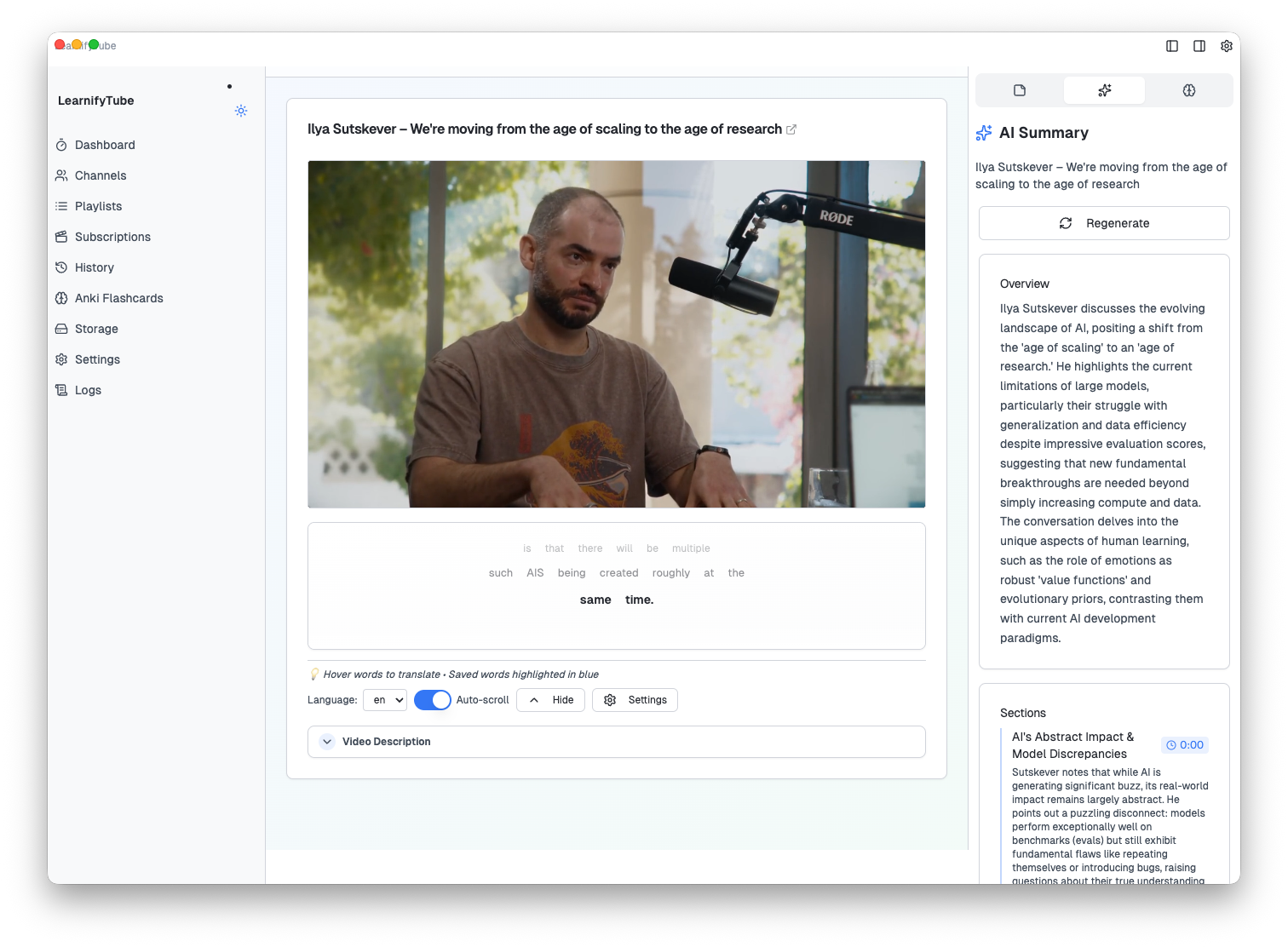
Simply click the AI sparkles icon in the sidebar while watching any video. Within seconds, you'll have a complete breakdown of the content, perfect for:
- Deciding if a video is worth watching in full
- Reviewing key points after watching
- Finding specific sections without scrubbing through the timeline
2. AI Quiz Generator
Test your understanding with automatically generated quizzes tailored to the video content. Choose from three question types:
- Multiple Choice: Classic format for testing recognition and understanding
- True / False: Quick checks for factual comprehension
- Fill in the Blank: Active recall practice for terminology and concepts
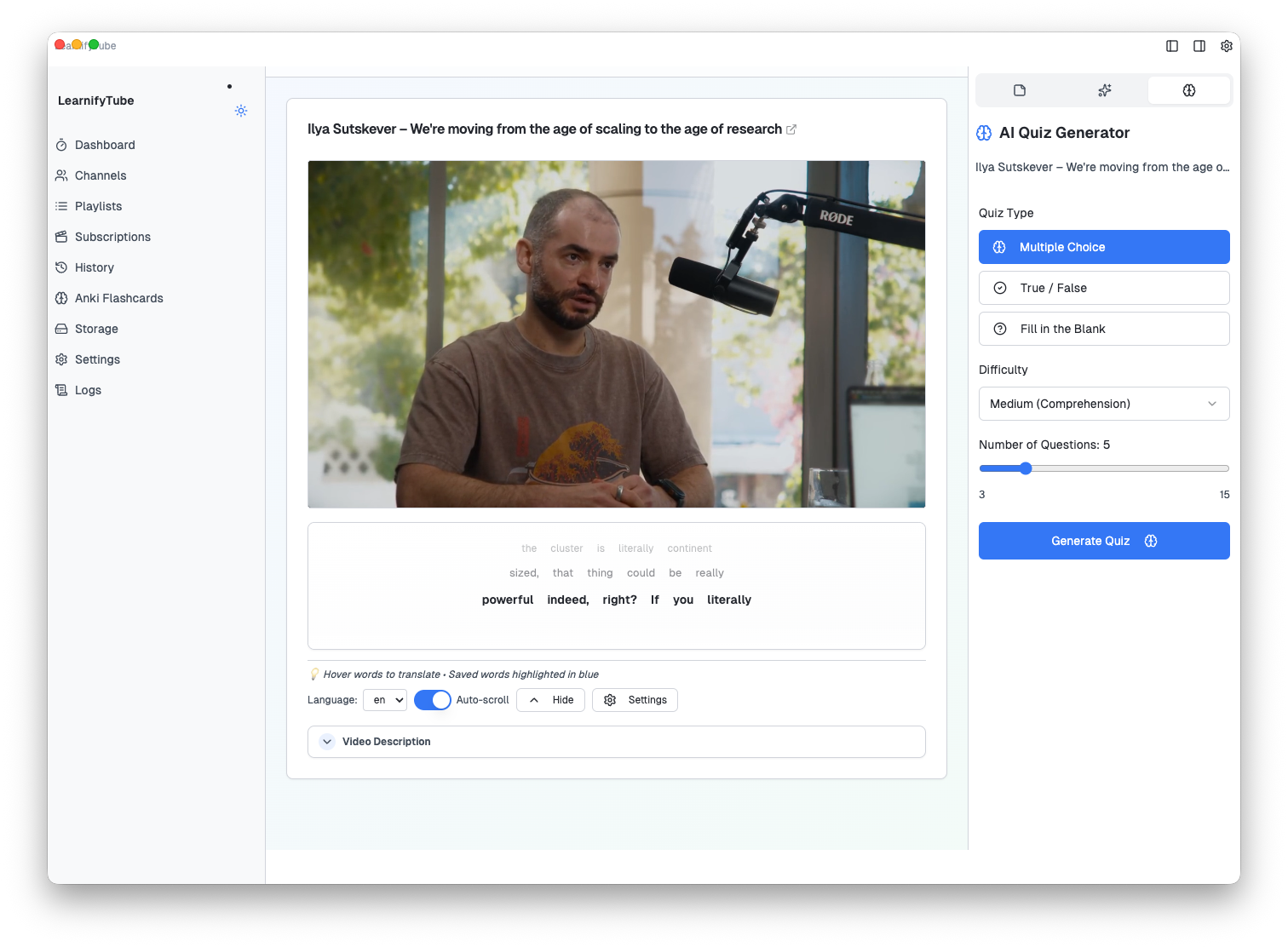
Customize your quiz experience:
- Difficulty Levels: From basic recall to deep comprehension
- Question Count: Generate 3 to 15 questions per session
- Instant Feedback: See explanations for correct answers
The quiz feature is perfect for students preparing for exams, professionals learning new skills, or anyone who wants to ensure they truly absorbed the material.
How It Works
All AI features work locally with your downloaded videos and transcripts. Here's the simple workflow:

- Download any educational video with subtitles/transcripts
- Open the video in LearnifyTube's distraction-free player
- Click the AI sidebar to access Summary, Quiz, or Notes features
- Learn with auto-generated study materials
The AI analyzes the video's transcript to create meaningful summaries and relevant quiz questions – no cloud processing required for your content.
Real-World Use Cases
For Students
- Generate study guides from lecture recordings
- Create practice quizzes before exams
- Build flashcard decks from course content
For Professionals
- Quickly digest long conference talks
- Test comprehension of training videos
- Create knowledge bases from industry content
For Language Learners
- Save and review new vocabulary with context
- Quiz yourself on comprehension
- Build pronunciation flashcards with video clips
Privacy-First AI
Unlike cloud-based AI tools, LearnifyTube processes your content locally. Your learning data stays on your device, and you maintain complete control over what you study.
Get Started
These AI features are available now in the latest version of LearnifyTube. Simply:
- Update to the newest version
- Download any educational video
- Click the sparkles icon in the video player sidebar
Transform passive watching into active learning. Download LearnifyTube and experience the future of video-based education.
Have feature requests or feedback? We'd love to hear from you. LearnifyTube is built by learners, for learners.